Saving Portfolios & Opening Saved .tie Portfolios
Multiple files that comprise one portfolio can
be saved in a single “.tie” portfolio file.
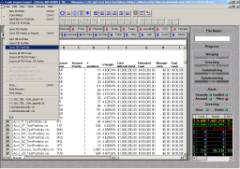
Portfolio files are saved and opened from the TIE™’s File Menu. Once opened,
users can add additional
files or delete files from the portfolio. TIE™ retains the
user’s settings, editing changes, and prices.
•
Security attributes that have changed since the file was created will be reported as
Corporate Actions
in the Unknowns folder once the file is reconverted.
•
Separate price overlay and foreign exchange overlay files can be imported into TIE™ in order to historically price a file.
 TIE™ (.tie) portfolio files
can be combined
into one portfolio by “adding” a portfolio to an existing portfolio.
Saved portfolio (.tie)
files contain the prices in use at the time of the file creation and can be
updated to current
pricing by clicking a button that reconverts the file.
TIE™ (.tie) portfolio files
can be combined
into one portfolio by “adding” a portfolio to an existing portfolio.
Saved portfolio (.tie)
files contain the prices in use at the time of the file creation and can be
updated to current
pricing by clicking a button that reconverts the file.